 Notko
Your AI-native canvas
for thinking.
Bring your ideas, context, and conversations together in one continuous workspace.


AI, right beside your thinking.
Select a note, a sketch, or a question on your canvas. Ask AI to explain it, turn it into text, or help you work through it. Keep the useful answers right beside your thinking.
Start with what’s already on the page.
Send a selection or attach the current board or page. Your question starts with the context you choose.
 A better first dayCanvas & AI
First impressions
- One clear first step
- Help when you need it
- Make progress visible
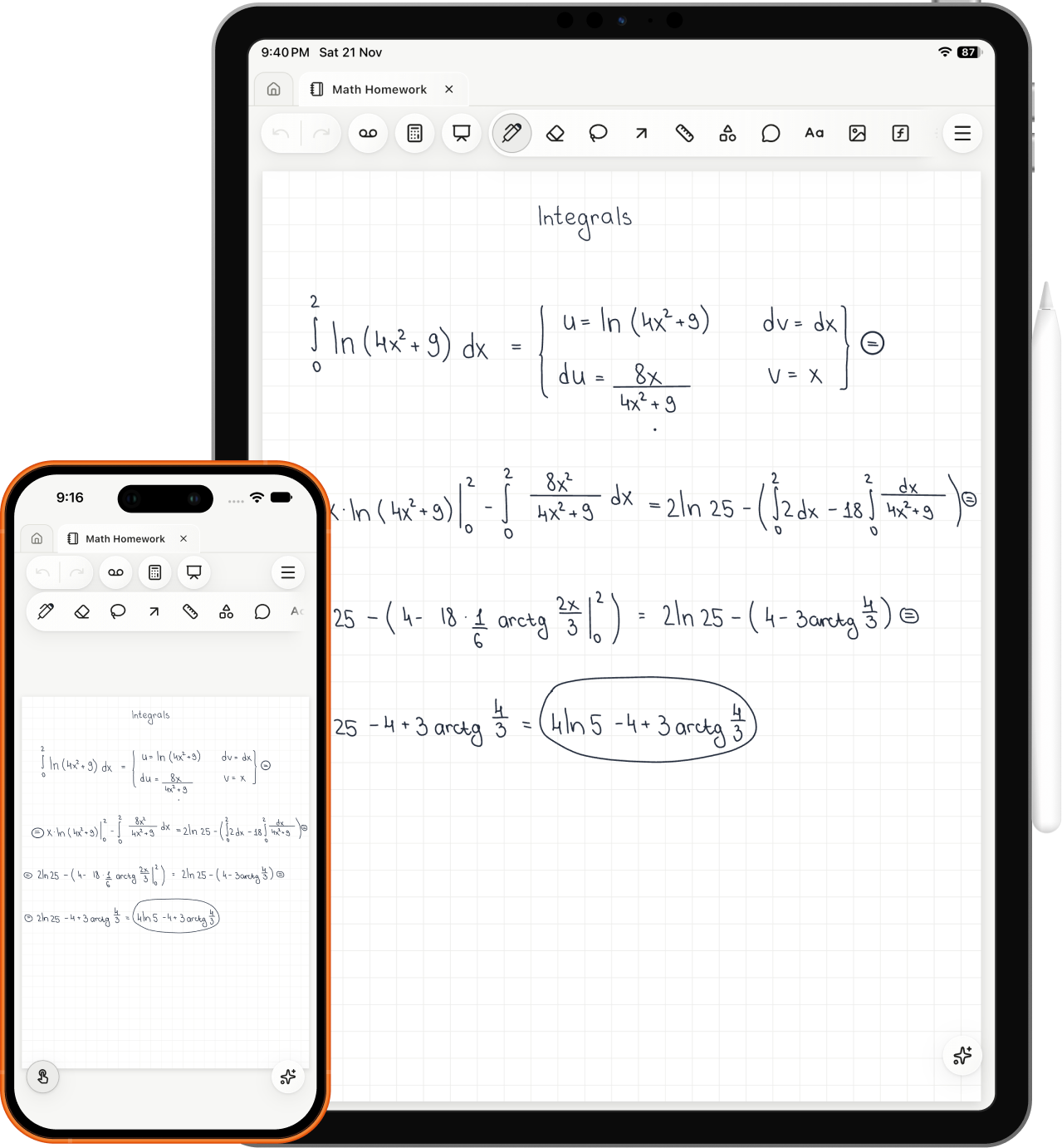
Math belongs on the canvas.
LaTeX is native to Notko. Formulas flow through AI conversations and onto your canvas, with inline notation and full equations that stay part of your work.
Follow the reasoning, formula by formula.
Ask AI to explain or solve a selected problem, or turn handwritten math into LaTeX. Read the notation together with the explanation.
Calculus / Making sense of integralsMathMake more of every recording.
A lecture, a meeting, a thought out loud. Record it in Notko, turn it into a transcript, and keep working with what was said — in an AI conversation or on your canvas.
Find the moment you want to revisit.
Read a timestamped transcript and jump back to the audio. Speaker labels help you follow the conversation.
A better first dayRecordings
Design review

Transcript
Alex
What should someone do first when they join?
Maya
Let’s give them one small thing they can finish. The rest can come later.
Think together. Ask together.
Share a whiteboard and work on it together in real time. Your AI conversations are shared too, so everyone can ask, follow up, and build on the same answers.
Different perspectives. One shared space.
See each other’s presence and canvas changes as you work. Invite people with editor or viewer access.
A better first dayAMBuilt around the way you think.

Room to think by hand.
Pens, a highlighter, shapes, connectors, text, and images. Use the tools that fit the thought.
A place for the bigger picture.
Explore on a whiteboard or work page by page in a notebook. Keep your projects organized in folders.

Start with an idea.
Create and keep your work locally without an account. Sign in when you’re ready for AI, sync, and collaboration.
A few things
you might be wondering.
What can I ask AI about? 
Start with a canvas selection, attach a board or page, add an image, or attach a transcribed recording. Ask your own question or use actions such as Explain, Summarize, Text, Solve, and LaTeX. You choose what to bring into the conversation.
How does Notko handle LaTeX?
Notko renders both inline formulas and full equations in AI responses and on the canvas. You can ask AI to turn selected handwritten math into LaTeX, insert formulas on the canvas, and copy their LaTeX source or an image of the formula.
Can we use AI together on a shared whiteboard?
Yes. Members can participate in the whiteboard’s existing AI conversations and see each other’s messages and AI replies. Editors can also edit the canvas and manage conversations. Viewers can read the canvas and contribute to existing chats.
What happens after I record something?
The recording stays with its board or notebook. You can play it back, request a timestamped transcript, and place a playable recording on the canvas. Once transcription is complete, attach it to a chat so AI can work with what was said.
Do I need an account or an internet connection?
You can start with local whiteboards and notebooks without signing in, and keep working on locally available content offline. AI, transcription, cloud sync, and live collaboration require an account and an internet connection.
Less switching.
More thinking.
Your notes, formulas, recordings, and conversations. One place to make something of them.